
A big thank you to everyone who has bought my books direct from me via Payhip – it really helps! This is a quick post to let you know how to use coupons and claim discounts when using the store. Buying stuff on Payhip is pretty straightforward – just follow the instructions on screen and you can’t go wrong!
Simply click Buy Now to get one product or Add to Cart to buy several products. When you’re ready, click Checkout and you’ll be taken to the screen to enter your email address so you can get the receipt with your download files. Select your payment method and complete the transaction. Here’s a product screen as an example:

To claim a discount using a coupon there’s another step. First find the product you want to buy and click ‘Buy Now’ as above and go to the Checkout and enter your email address:

Once you’ve done that, click Add Coupon, highlighted in the image above, which brings up another screen for you to enter your coupon code:

Once you’ve added your code, click Add Coupon again and you get another screen showing the discount applied to your order:
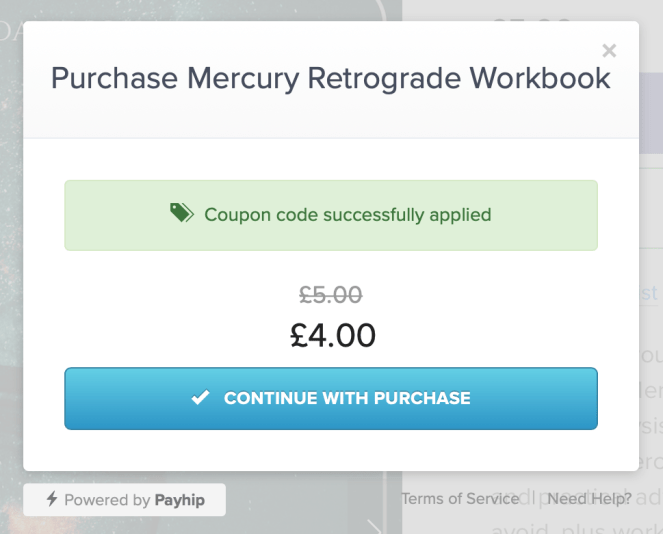
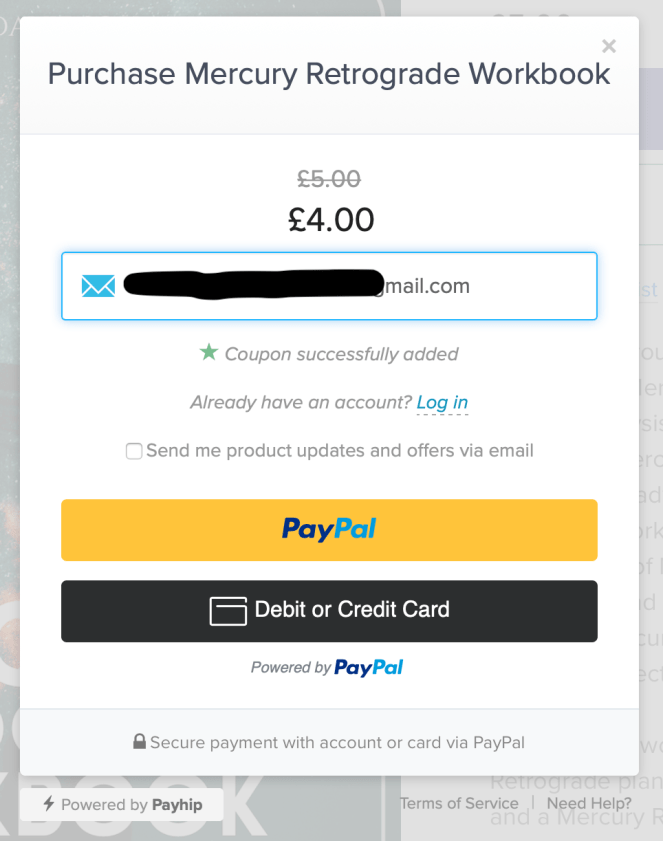
Finally click Continue With Purchase and it takes you back to the checkout screen. Select how you would like to pay and complete the transaction.
This isn’t the only way to claim a discount. Offers will also pop up on the screen when you select certain products to purchase. For example, when you buy one Retrograde Workbook, you’ll be offered a second workbook at a 20% discount. So when you click Buy Now for the Mars Retrograde Workbook, a popup will appear that offers you 20% off the Mercury Retrograde Workbook – and vice versa!
This is what the popup looks like (note: this might not appear on some tablets or phones):

Simply click Add to Cart on the popup and the workbook will be added to your order with the discount. However, this might not work. Maybe it’s just me, but it went wonky when I tried it and the cart didn’t display properly. I ended up with something like this:

If this happens to you, close the purchase window and that reveals the cart. You can then add the other workbook to your cart from there.
The easiest way to claim a discount is to start by clicking Add to Cart on the product page which then shows your cart with the discount offer, like this:

Click Add to Cart on the discount offer and your cart will now show both products with the discount applied, like this:

Click Checkout and complete the transaction as above. Remember to tick the box that says ‘Send me product updates and offers via email’ if you want to receive discounts and special offers in the future!
For more on how to buy stuff on Payhip you can read my illustrated guide here. If you have any problems, get in touch and I’ll help!
 Jessica Davidson